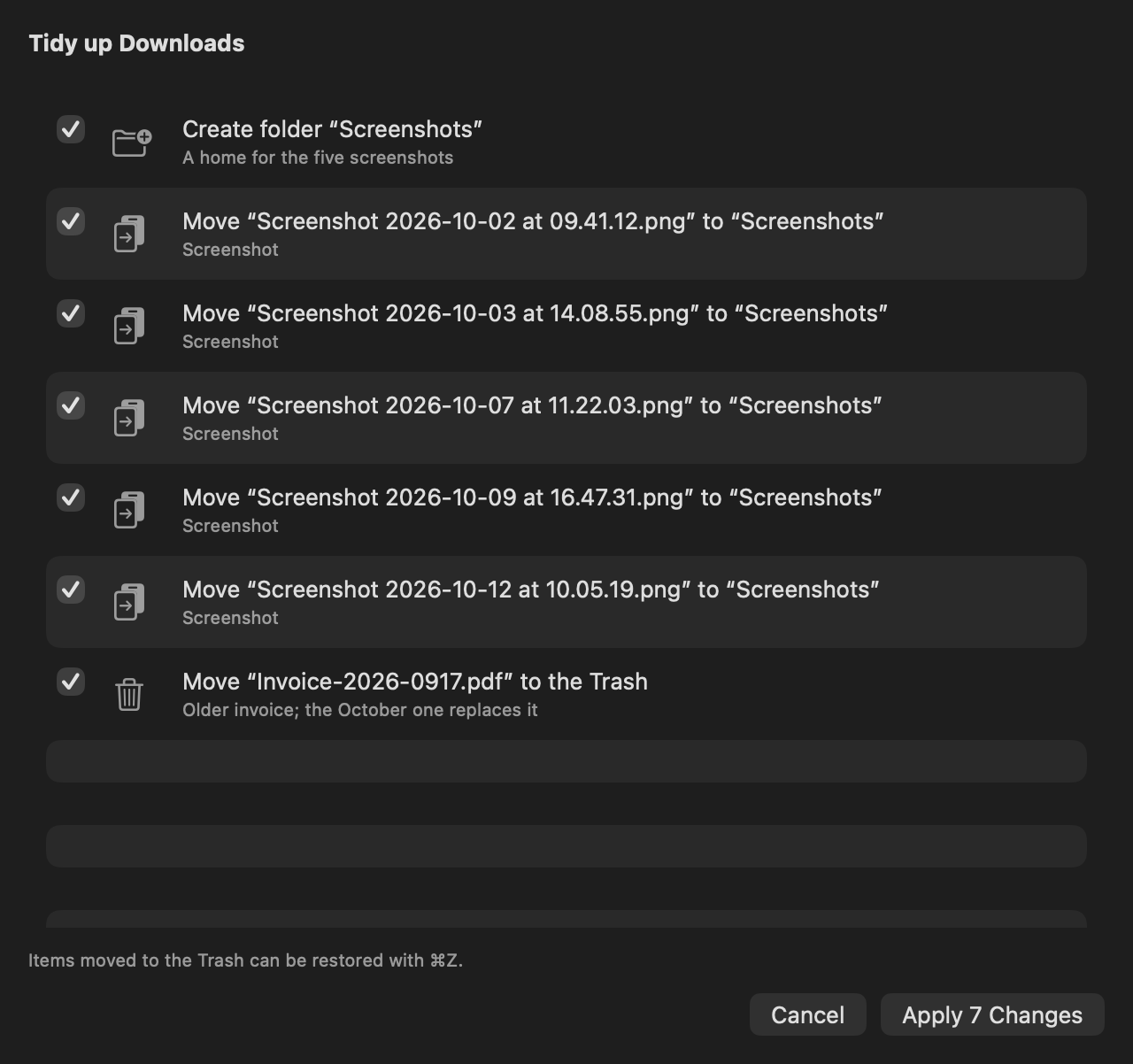
Dual pane
Two panes.
No mouse required.
Tab between the panes, copy across with one shortcut, and keep every Finder key you already know. Drag and drop works too — between panes, to Finder, to any app.
⇥⌘C⌘V⌘⌫Space
 RouteFM
For Mac and iPhone
The keyboard-first, dual-pane file manager for Mac and iPhone — with an AI that plans, and you who decide.
Coming soon to the App StoreDual pane
Tab between the panes, copy across with one shortcut, and keep every Finder key you already know. Drag and drop works too — between panes, to Finder, to any app.
⇥⌘C⌘V⌘⌫Space
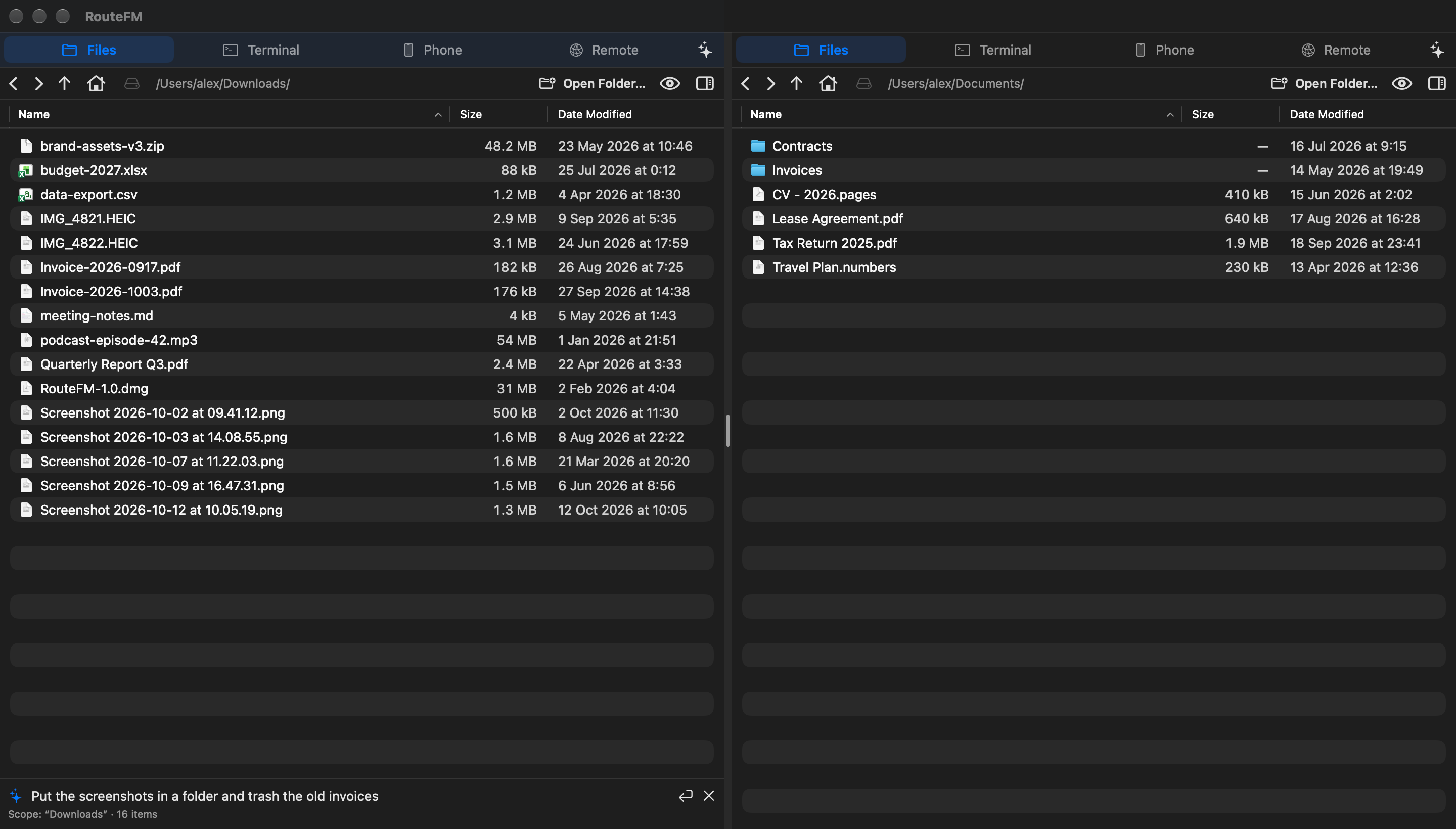
AI that asks first
Type what you want in plain words. RouteFM shows every change it plans before anything happens; you untick what you don’t like. Trashed items come back with ⌘Z.
⌘K
Servers
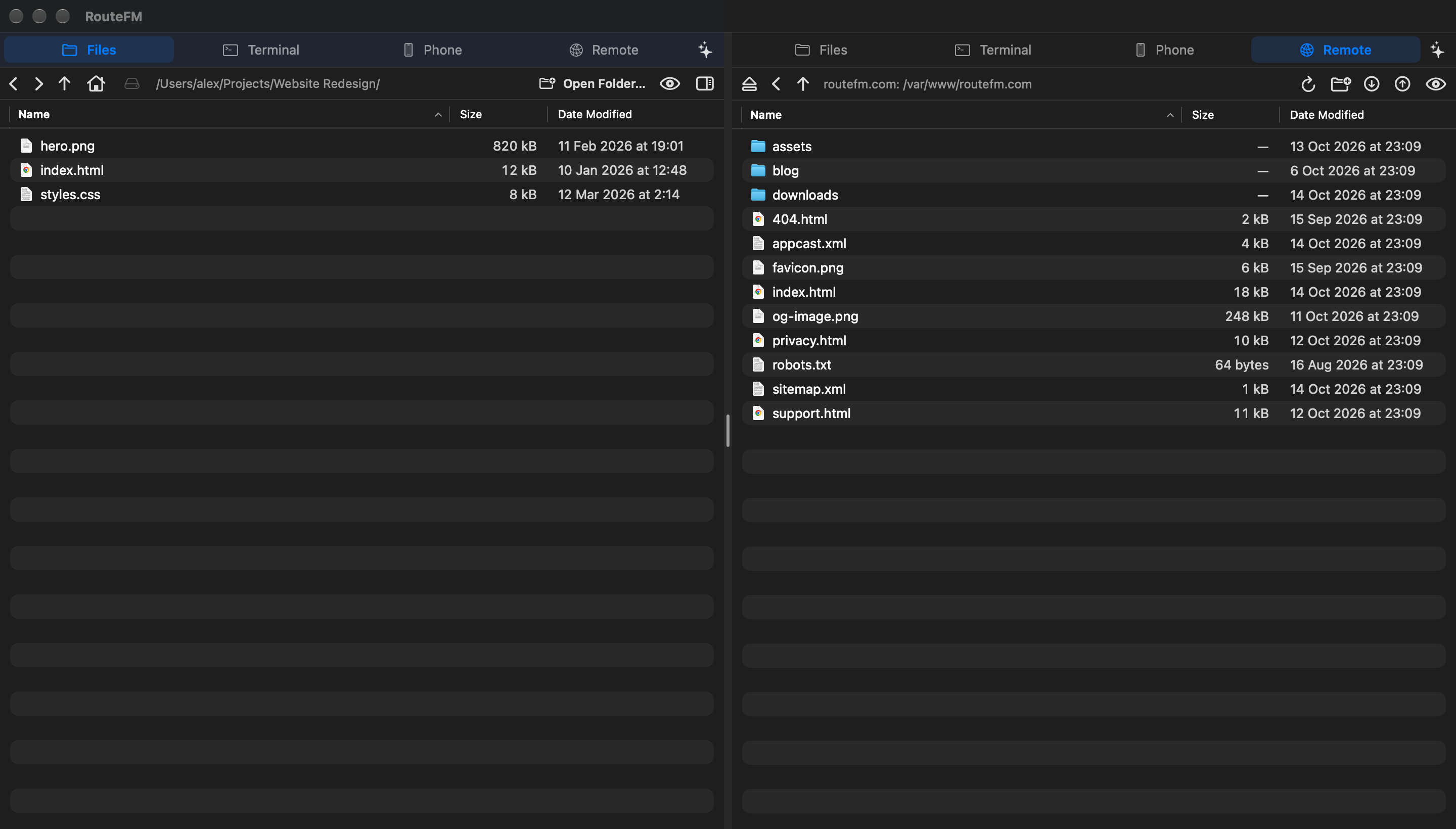
SFTP, WebDAV and S3 open next to your local folders. Copy, rename and upload with the same keys — and a real terminal is one tab away.
⌘4
iPhone to Mac
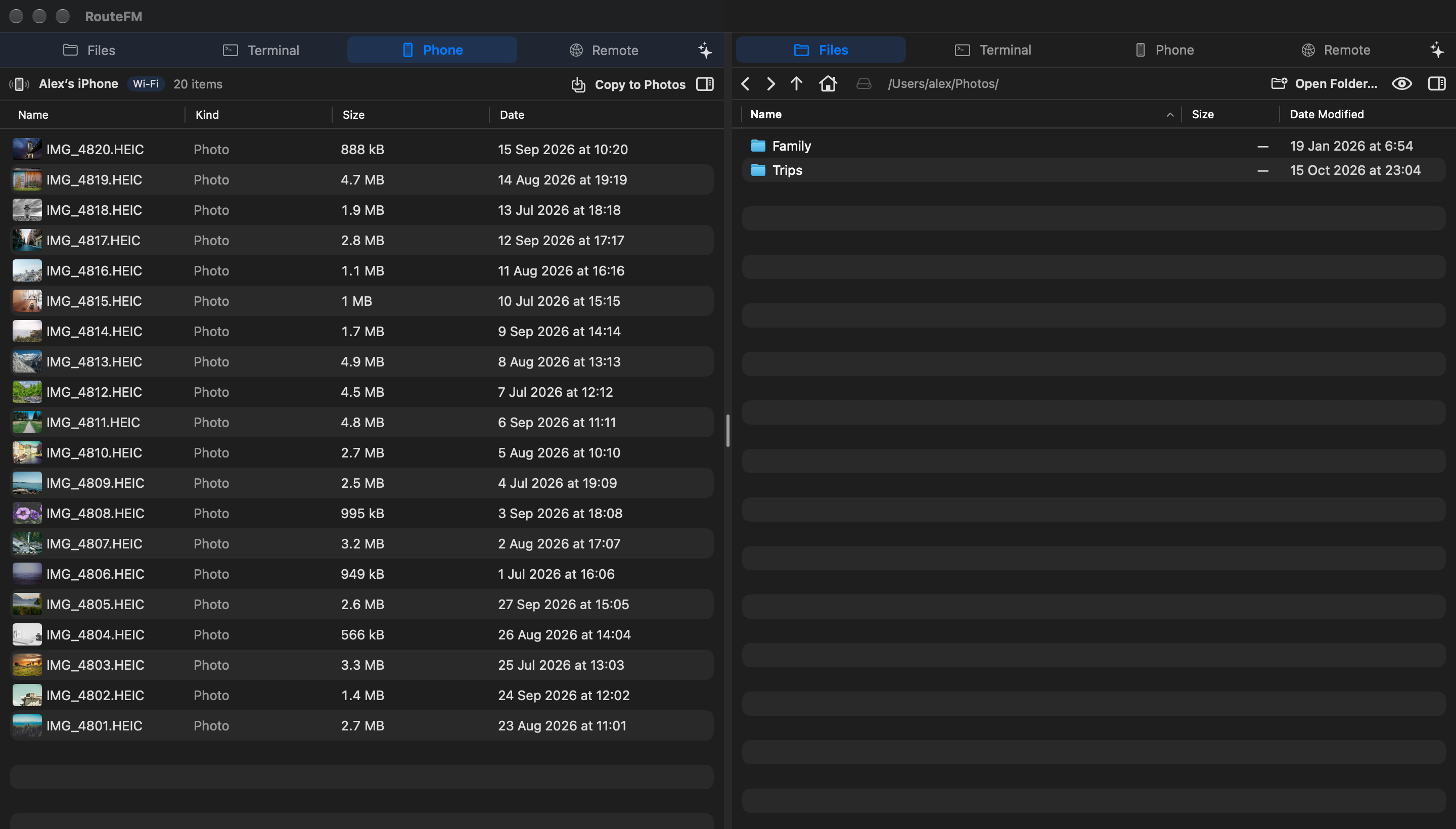
Open RouteFM on your iPhone and its library appears on your Mac. Pick, preview and copy originals over Wi‑Fi — even with the phone’s screen locked.
⌘3
Privacy
When you use Claude or OpenAI, RouteFM sends file names, sizes and dates — never what’s inside your files.
Choose Apple Intelligence and planning happens entirely on your device. Similar photos are found on‑device too.
No sign‑up, analytics or ads. Keys and passwords live in your Keychain. Privacy Policy
One app for Mac, iPhone and iPad.
Coming soon to the App StoreRequires macOS 26 or iOS 26 and later.